
Head Drop



📌 About
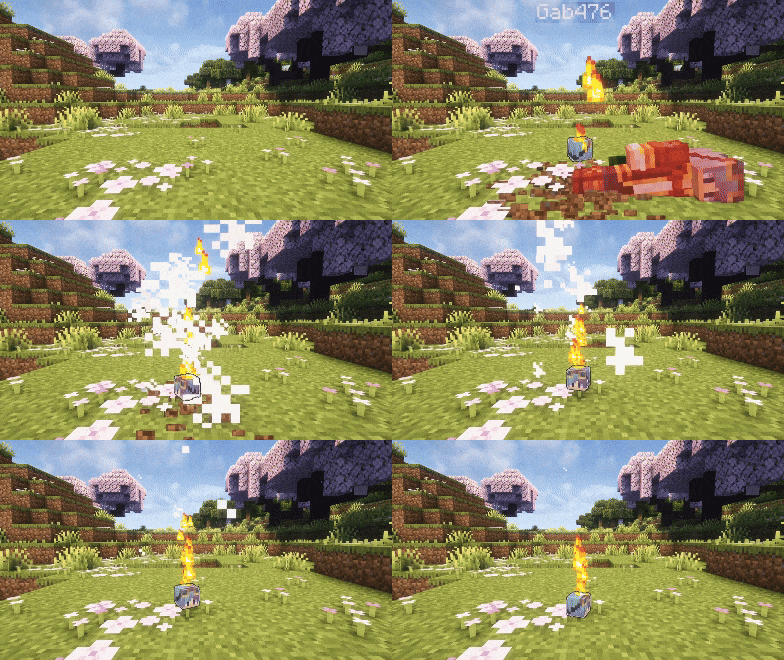
This Minecraft plugin makes players drop their head upon death. Configure head drops, glowing effects, messages, and more via config.yml
💡 Features
-
PvP / PvE Head Drops
Enable or disable head drops separately for PvP and PvE -
Custom Drop Chance
Configure the exact probability of a head dropping (0% → 100%) -
Custom Head Item
- Editable display name
- Single-line or multi-line lore
- Optional despawn timer
- Option to block renaming in anvils
-
Broadcast Messages
Toggle global messages when a head is dropped, with full placeholder support -
Optional Effects
Add lightning , particles, sounds, or a glowing outline with customizable duration and styles
All these features can be fully configured in the config.yml
Default behavior :
If you don’t modify the config, head drops function just like vanilla : no effects, no broadcasts, no special visuals
📝 Full Config
Spoiler
# Check for plugin updates on server startup
check_for_updates: true

# DROP SETTINGS
drop:
  # Drop mode: "pvp" (player kills only), "pve" (environment deaths only), "all" (both)
  mode: "all"
  # Chance for a head to drop (0.0 = 0%, 1.0 = 100%)
  chance: 1.0
  # Prevent head drop when player has invisibility effect
  prevent_when_invisible: false

# HEAD ITEM SETTINGS
head:
  # Custom name for the dropped head item
  name: "%head_player%'s Head"

  # Custom lore for the dropped head item
  # Leave as empty string "" for no lore, or use a list for multiple lines
  lore: ""

  # Uncomment this for detailed lore (remove 'lore: ""' above first!)
  # lore:
  #   - "&8&l&m━━━━━━━━━━━━ &r&6&lInfo &8&l&m━━━━━━━━━━━━"
  #   - "&6• &eVictim : &f%head_player%"
  #   - "&6• &cKiller : &f%head_killer%"
  #   - "&6• &aWorld : &7%head_world%"
  #   - "&6• &bLocation : &f%head_coordinates%"
  #   - "&6• &7Dropped : &8%head_datetime%"
  #   - "&8&l&m━━━━━━━━━━━━━━━━━━━━━━━━━━━━━━"

  # Time in seconds for player heads to despawn (max 300 seconds = 5 minutes)
  despawn_time: 300
  # Prevents renaming of plugin heads via an anvil
  disable_rename_in_anvil: false

# BROADCAST SETTINGS
broadcast:
  # Enable or disable broadcasting a message when a player's head is dropped
  enabled: false
  # Message to broadcast (supports placeholders)
  message: "§c%head_player%'s§r§6 head has been dropped !§r"

# EFFECTS SETTINGS
effects:
  # Lightning effect (visual only, no damage)
  lightning:
    enabled: false

  # Sound effect
  sound:
    enabled: false
    # Check the list: https://www.digminecraft.com/lists/sound_list_pc.php
    type: "entity.player.levelup"

  # Particle effects
  particles:
    enabled: false
    # Duration in seconds (use "infinite" for no limit)
    duration: 10
    # Particle type: flame, heart, smoke...
    # Check: https://minecraft.wiki/w/Particles_(Java_Edition)
    type: "smoke"
    # Shape: upward, circle, cycle, pulse, wave, spiral, burst
    shape: "upward"

  # Glowing effect
  glowing:
    enabled: false
    # Duration in seconds (use "infinite" for no limit)
    duration: 10
    # Color: https://htmlcolorcodes.com/minecraft-color-codes/
    color: "red"
🛠️ Setup
- Download the version of the plugin that matches your Minecraft server
- Place the
.jarfile in yourpluginsfolder - Restart your server to activate the plugin
Most settings can be customized in the config.yml file, make sure to review it for full configuration options
⚙️ Config
After modifying your config.yml, use the command /head reload to apply your changes without restarting the server
This command is only available if you are OP or in Creative mode
🤝 Community & Support
Need help, found a bug, or just want to chat ?
Join our Discord community, we’re always happy to hear your feedback and suggestions !
This plugin is completely free
If you’d like to support its development and help it grow :
Your support helps the project stay alive and brings new updates
❓ FAQ
Q: Where can I find the config.yml file ?
A: After the first launch, the file appears at : /plugins/HeadDrop/config.yml
Q: How do I update the plugin to a newer version ?
A: Download the latest release, replace the old .jar file in your plugins folder, then restart your server
Q: How do I report bugs ?
A: Join the Discord server and post the issue in the bug-reporting channel
Q: What happens if I delete the config.yml file ?
A: The plugin automatically regenerates a fresh default configuration file the next time the server starts
📊 Metrics
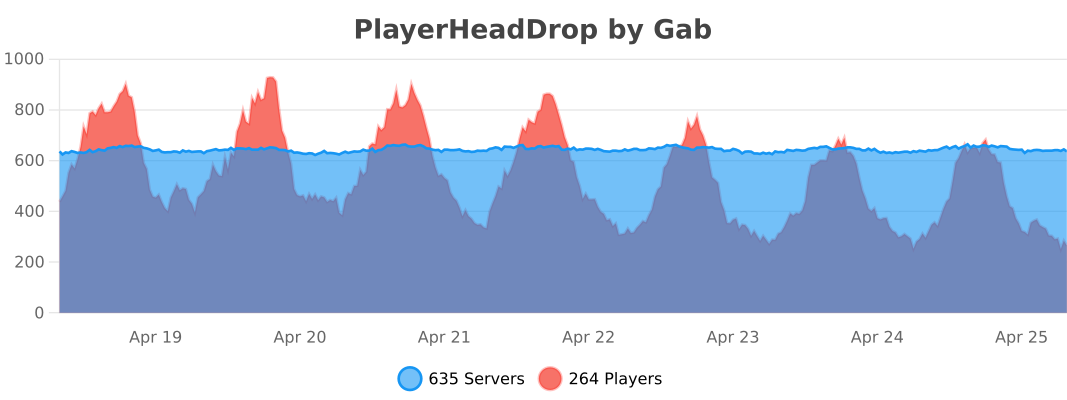
This plugin uses bStats, an open-source statistics service for Minecraft, to collect anonymous usage data.
If you prefer to disable it, open the config file inside the bStats folder and set metrics to false
Совместимость
Minecraft: Java Edition
Ссылки
Создатели

ga0b
Владелец